Browse the documentation
Multi-factor authentication for Windows sign-in
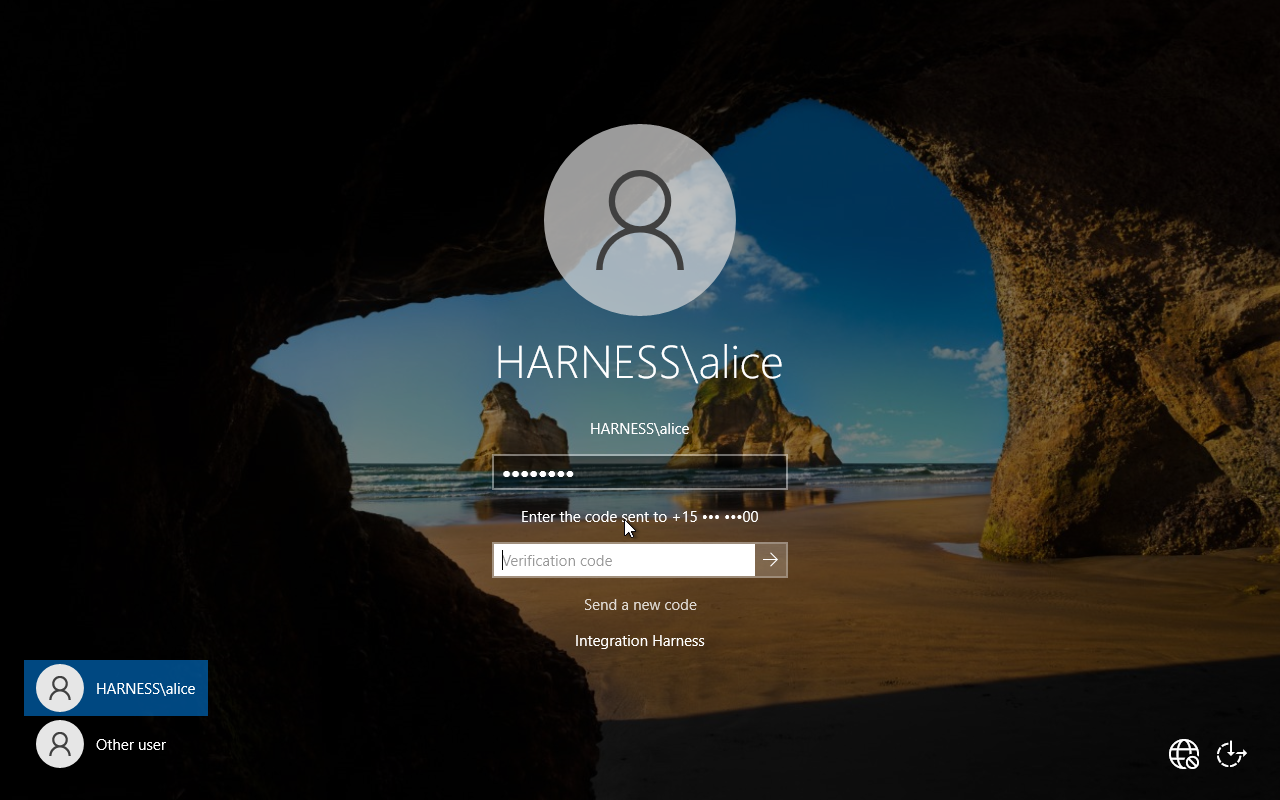
EndpointTrust asks for a second factor at the Windows logon screen itself — on the console and over RDP — for accounts in your directory. The second factor is a code: either an SMS to a number you have on file, or a code from a paired handset.
ff93d4b7What it does
- A credential provider on each Windows machine takes the password, asks the service whether that sign-in needs a second factor, and asks for a code when it does.
- The service decides per sign-in, from a signed policy, and signs its answer. The endpoint verifies that signature before acting on it.
- Administrators manage people, machines, seats and policy in a console, and can see every sign-in decision that was made.
What it does not do
Stated here rather than discovered later:
- It does not protect the RDP network-level handshake. Verification happens on the target machine.
- It does not resist a local administrator, a restored disk image or a VM snapshot.
- A user can induce an outage to reach the grace path, if grace is enabled. Every such sign-in is audited as a bypass, and administrators choose whether to allow it at all.
- Audit is lossy by design. A machine that loses power mid-sign-in records that outcome as unknown, permanently.
The security model and what pairing gives up go further, in the same register.